Personal Invitations — Weddings to Events
Send your digital invitation on WhatsApp, and let the replies collect themselves.
Guests RSVP without leaving WhatsApp.
No credit card needed, 10 messages on us.
Try the invitation on your own WhatsApp right away.
The guest experience
This is what your guest sees
The invitation arrives on WhatsApp, prepared in the guest name. The reply happens inside the chat, in two taps.
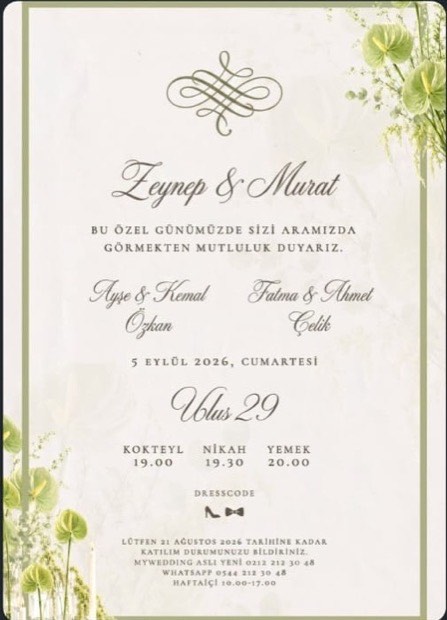
Davetimo Sample Invitation
🗓️ Friday, 4 September 2026
📍 Ciragan Palace
Dress Code: Black Tie
Please let us know whether you will attend by 1 September using one of the buttons below.
Automated message — please use the buttons only.14.34
Location shared — tap to get directions14.39
- Everyone is invited by name; who replied is never mixed up.
- Headcount and attendee names — all collected in the same chat.
- A guest who changes their mind updates the reply in the chat; your list corrects itself.
- An invitation is for as many people as it says; a quota increase lands in front of you as a decision.
- A guest whose reply is left half-done gets a gentle reminder on its own.
- English-speaking guests get the invitation and the chat in their own language.
This is what you see
RSVP tracking on one screen — not by hand
Dashboard
Replies collect themselves — the status is on your dashboard at any moment.
- 86Total Guests52 invitations
- 84Delivered
- 52Attending34 Guests · 18 Companions
- 21No Reply18 Guests · 3 Companions
- 13Not Attending9 Guests · 4 Companions
- Ayşe Yılmaz · Yılmaz Family · Table 42/2Attending
- Mehmet Demir · Table 70/1No reply
- Elif Kaya · Kaya Family · Table 23/4Attending
The list and the numbers update on their own; ready whenever you look
Reminders for half-done replies, delivery status and reply updates are handled on their own; decisions such as quota and name conflicts are left to you. Screens use sample data.
How it works
How Davetimo works: a WhatsApp invitation in 3 steps
Set up
Upload your invitation image and add your guest list from Excel.
Send
Each personal invitation goes out on WhatsApp; guests reply from wherever they are.
Decide
Whatever needs your call, such as quota requests or name mismatches, lands in front of you; everything else moves on its own.
The whole operation
After the invitation: seating plan, memory gallery, team and more
Seating plan
Tables are extracted automatically from the venue PDF; drag-and-drop placement.
Memory gallery via QR
Guests upload photos from their phones; you approve and add them to the album.
Automatic reminder
Gently reminds a guest who left the chat half-done — once.
Team and roles
Invite your team with roles; the operations team and the couple each work from their own screen, with their own permissions.
SMS fallback
Send an SMS with one click to a guest the WhatsApp message could not reach.
Every event type + English
From weddings to birthdays, from openings to corporate events; with English-speaking guest support.
Who it is for
Built for organizers, easy for hosts
Event organizer
If events are your business, the dashboard is your office.
All your events in one account; each new one is set up with the familiar flow. Your client follows the status from their own screen; you do not prepare reports.
Host
The same comfort for a single invitation.
Wedding, engagement, birthday: you set it up in a few steps; the invitation, the list and the tracking move on their own.
FAQ
Frequently asked questions
Every occasion, ready in minutes.
Birthdays, celebrations, gatherings — all on Davetimo.
Create your invitation, upload your list, and let Davetimo take care of the rest. No credit card, nothing to install — try it now with your 10 free messages.
Official WhatsApp Cloud API integration.